Scoreboard changes
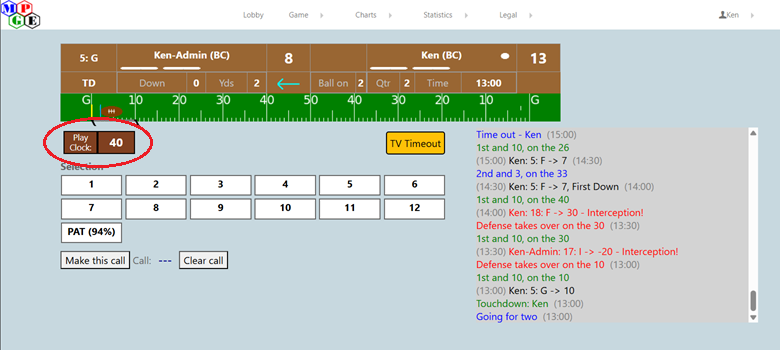
- A play clock has been added to the display.
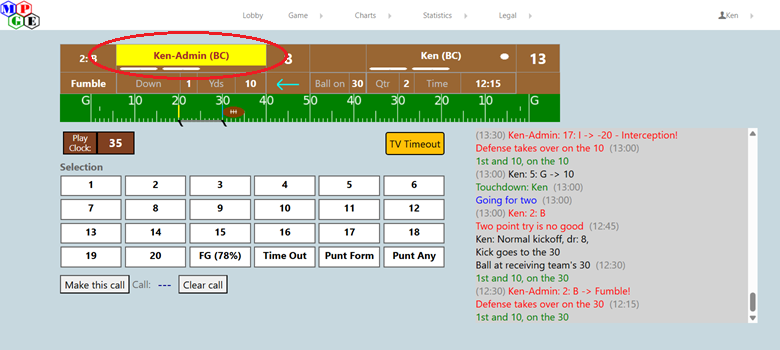
- An indicator will be shown when your opponent has made their call.
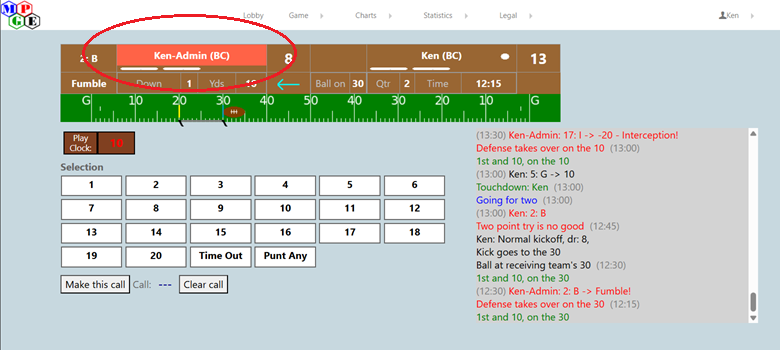
- If your opponent disconnects, that will also be indicated.
There is a new panel for buttons available for use at any time. (The contents of this panel will change during play depending on which buttons are available to the players. See the details below.)
Time limits on play calls
This is the most significant change to game play. Please read this section completely.
There is now a real-time clock in the game. Delay of Game (DoG) penalties will now be called.
Both players have 40 seconds to make their call for all plays from scrimmage, except as listed below.
-
A called Time Out sets the play clock to 70. (This represents a 30-second TO plus the play clock being reset to 40.)
-
An extra 15 seconds is given after a change in possession.
-
The ability to go into Punt Formation goes away with 15 seconds left.
-
The ability to call a Field Goal or a TV Timeout goes away with 10 seconds left.
-
“Non-play” decisions are given 15 seconds. Failure to make a choice makes the game select the default option for that decision.
- Offense chart - Aerial, Pro, Ball Control
- Default: Pro
- Coin flip - Heads / Tails
- Default: Heads
- Selection - Kick, Receive, Defer
- Default: Receive
- Accept or decline a penalty
- Default: Accept the penalty
- Normal or On-Side kickoff
- Default: Normal kickoff
- PAT or 2-point Try
- Default: PAT
- Offense chart - Aerial, Pro, Ball Control
Each player has the option of calling one “TV Timeout” per half. This Time Out lasts until both players select to end it.

- When either player selects a “TV Timeout”, both players get this dialog box:
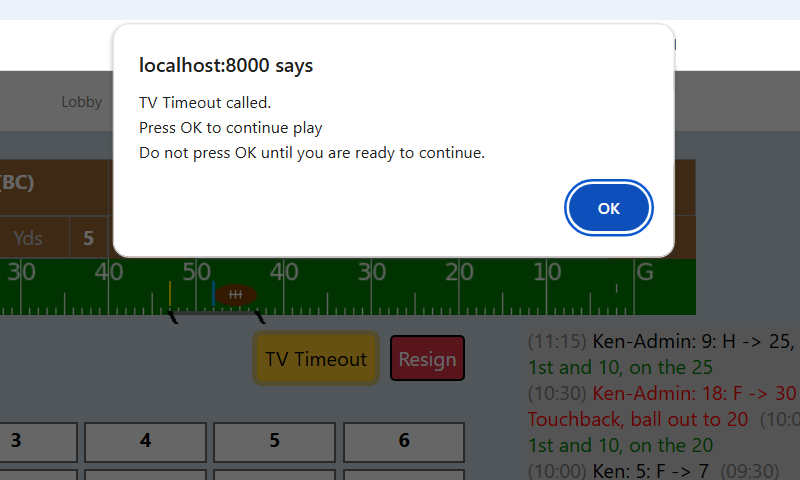
Both players then must clear this box for the game to continue.
Note: The first player to clear that box will get a notice showing that the TV Timeout is still in progress. It will be removed when their opponent selects “OK” to continue the game.
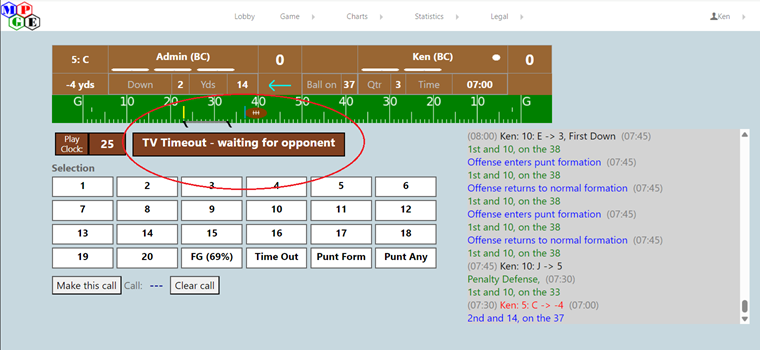
There is an automatic “TV Timeout” at the end of the half. Players must select the “End Time Out” button to continue.
Penalty assessments
-
If a play call is not made within the designated amount of time, a DoG penalty will be assessed against the player. (5 Yard penalty)
- The penalty yards can be declined by the opponent.
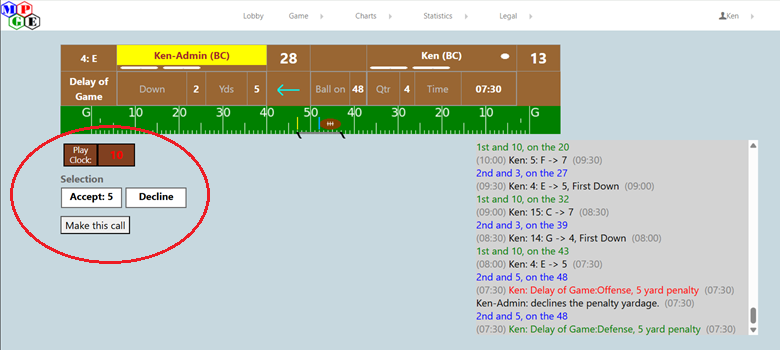
- A second consecutive DoG, or the 5th (or more) DoG in the game by a player, is ruled as Unsportsmanlike Conduct. (15 Yard penalty) This yardage for this penalty can also be declined.
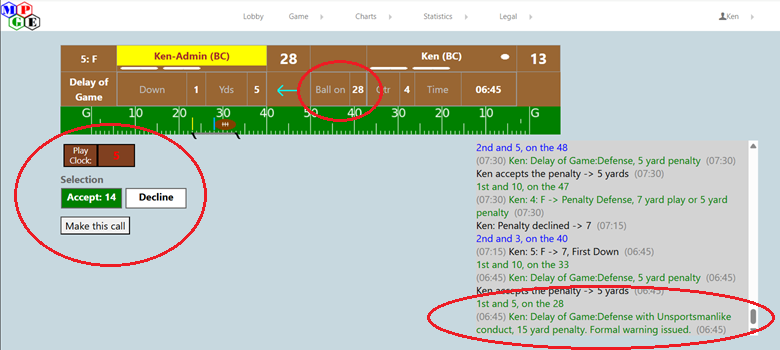
(Notice that the penalty would only be 14 yards because the ball is on the 28 and so it’s half the distance to the goal.)
- A third consecutive Delay of Game, or the 9th (or more) DoG in the game, adds the additional penalty of Loss of Down (against the offense) or Awarding the Score (against the defense). The yardage can be declined for the Loss of Down penalty except on 4th down, but the Loss of Down or Awarding the Score (TD) cannot.

(The offensive player was given the TD and has been advanced to the PAT / Two selection dialog.)
Consecutive DoG penalties are additive. A player committing a second consecutive DoG penalty will have 3 added to their game total. A player committing a third consecutive DoG penalty will have 6 added to their game total.
If a “Non-Play” decision is not made in time, the default selection is applied and counts as one DoG penalty toward the player’s total.
Automatic TV Timeout
During a play from scrimmage, if neither player makes a call before the clock expires, there is no penalty awarded to either side. Instead, the game calls a TV Timeout. Play is paused and both players must clear the timeout box for the game to continue. (This timeout is not charged to either player.)
Browser disconnects
If a player disconnects from a game in progress, the clock is stopped at that point. When the player reconnects, the clock is restarted.
Note: An astute individual might think that this is an easy way to extend the play clock. However, every connect and disconnect is logged on the server, and if your opponent files an appeal based on multiple connections being made during the game, you can be ruled to have lost the game.