MPGE FBS Changes
What’s really new
Many thanks to those who have tested this recent version. All the currently-identified errors affecting game play have been corrected, and some minor enhancements have been made. (No corrections have been made yet to the stats being reported after a game ends. Yes, I know there are a number of them. No, you don’t need to report them.)
Some of the changes and fixes:
- If you click OK to end a TV Timeout but your opponent has not yet cleared it on their end, you will now see a visual indicator showing that the TV Timeout is still in progress. (See the Play clock page.)
- A TV Timeout now completely resets the play clock.
- The Play Clock does not restart until both players have ended a TV Timeout.
- Entering and Leaving Punt Formation does not reset the play clock now.
- A couple of issues that could occur when disconnecting from the server during a TV Timeout have been fixed.
- Fixed an intermittent error caused by browser cache
- Fixed the occasional “ghost” showing in the lobby
- Fixed some minor inconsistencies in the “Play-by-play log”
New buttons
Resign
This button becomes available to a player any time they are behind by more points than the number of minutes remaining in the game. When selected, a confirmation box is displayed.
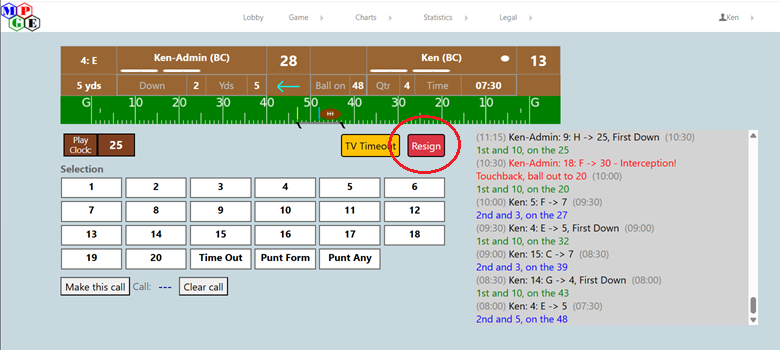
When confirmed, the game ends immediately.
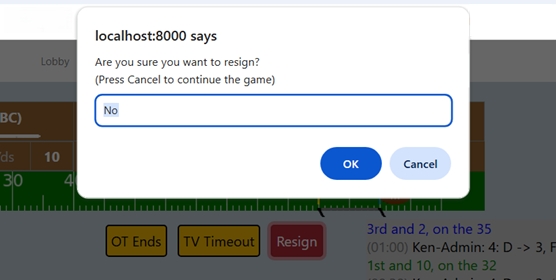
To confirm a resignation, replace the “No” with “Yes” and select “OK”.
Selecting “Cancel” means you are not resigning.
Selecting “OK” with a “No” response also cancels the resignation.
Overtime - End Game
It is now completely up to the players to identify when overtime has ended.
This button appears during overtime.
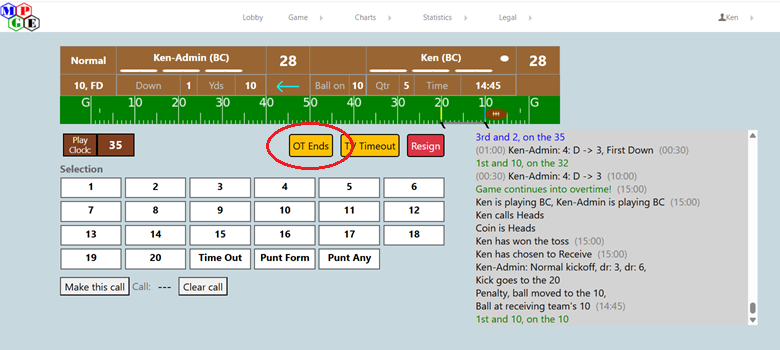
When either player selects this button, the other player is asked to confirm that the game has ended. If the second player confirms the selection, the game is ended. If denied, the button is removed until after the next play is resolved.
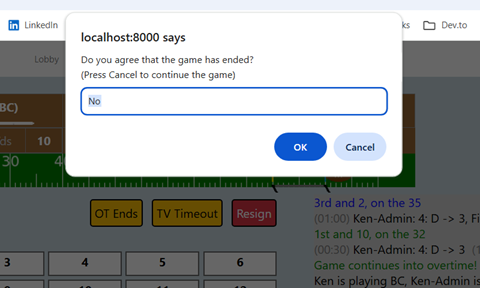
If the second player confirms the selection, the game is ended.
Bug fixes
The following issues have been corrected.
-
Wrong Down after the free kick after a safety.
-
The handling of penalties during kickoffs.
-
The handling of Long Gain returns after a Fumble during a kickoff.
-
Fix FG chart selection when changing from a 2-pt Try to a PAT.
Identify a game as a Tournament Game
When you challenge a player to a game and the system has a record that you and your opponent have a league game to be played, you will get a new selection panel after selecting “Issue challenge”.
This new selection panel allows you to identify this game as your league game or as a game being played “for fun”.
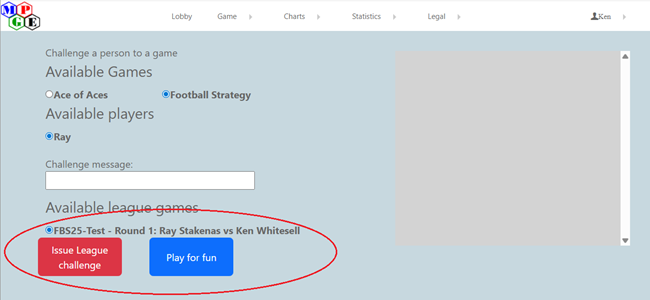
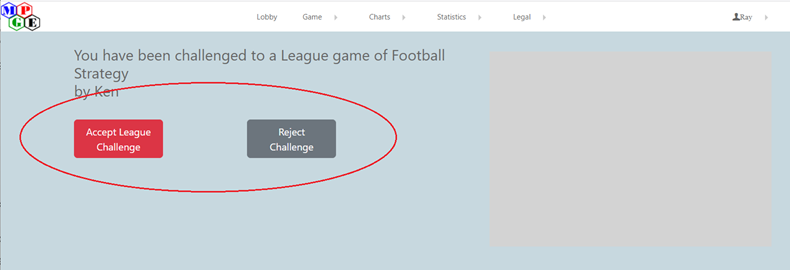
If you select “Issue League challenge”, then your opponents confirmation box will look like this:
If you select “Play for fun”, then their confirmation box will look like this:
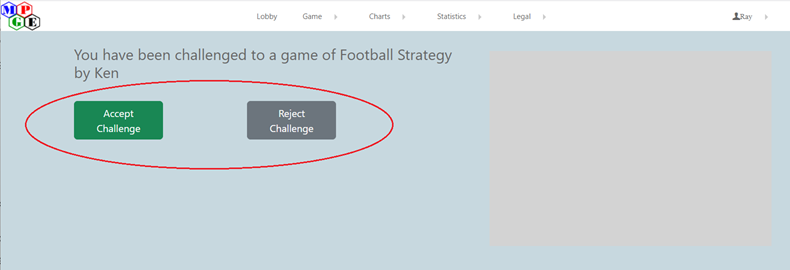
If the player issuing the challenge doesn’t select the “League challenge” box, then the player being challenged should reject the challenge if they want this game to be “Official”
Once a game has been selected as a Tournament Game, it must be played to completion. Failure to complete a game the first time will result in a warning. Failure to complete a game the second time can be considered a forfeit.
A game played without being identified as a Tournament Game will not be counted as an official result.
If you do not get the League challenge dialog, this means that the person you are challenging is not someone you are scheduled to play. If you believe this to be incorrect, let me know. Do not try to start a tournament game without seeing that option.
What hasn’t been fixed?
The end-of-game statistics page still has a number of errors. (These don’t factor into anything, they are provided purely for entertainment. As such, they’re very low on the priority list of things being worked on.)